The main tool you work with is your ChatGPT. Follow a few simple steps and give it a memory of all your business matters.
Keep your documents private and let only what you choose reach the conversation. Your document store is completely closed – nothing leaves our local servers.
A few steps to connect ChatGPT to WiseMCP
If you do not have a ChatGPT account yet, create one.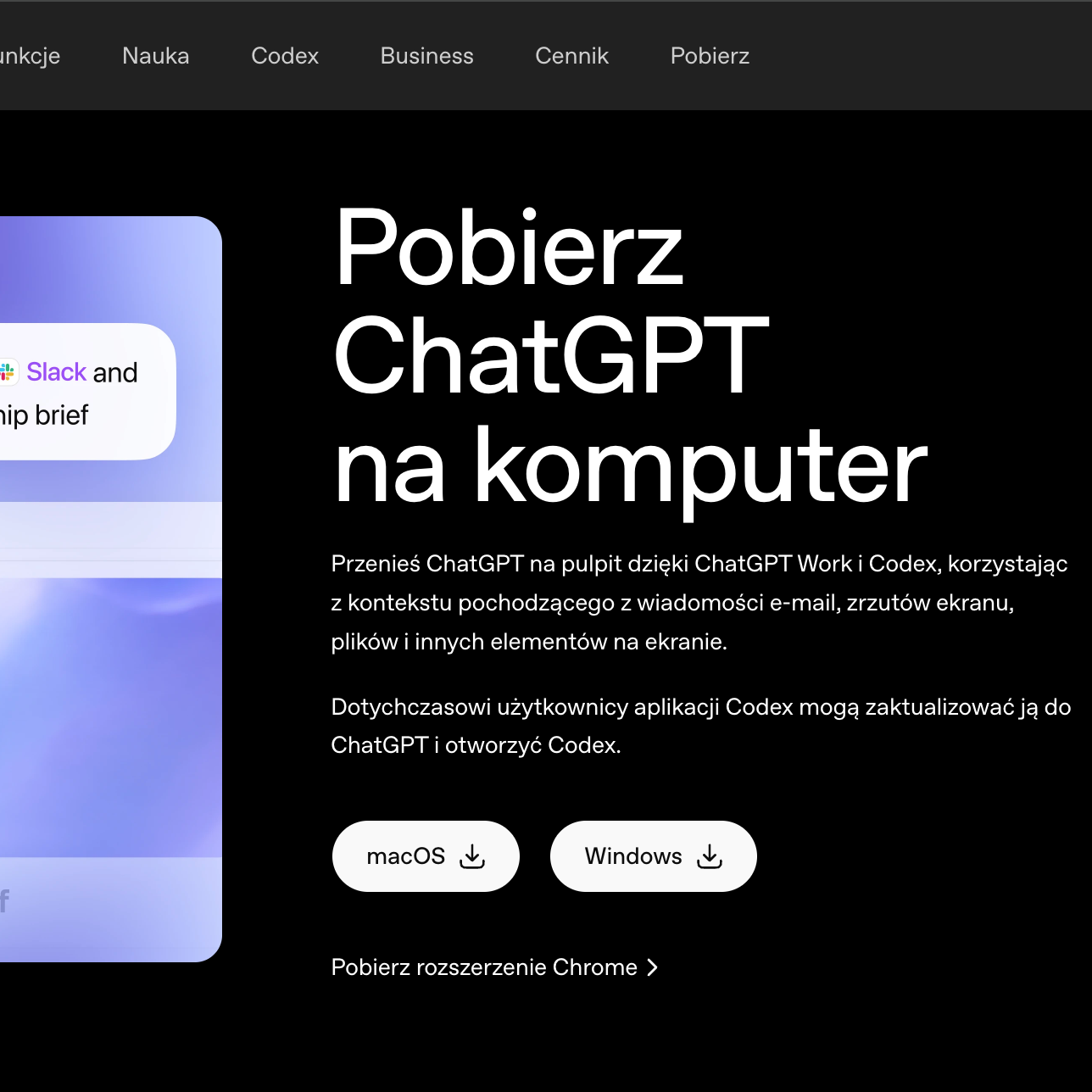
Download ChatGPT desktop here
Go to https://chatgpt.com/download/, choose your computer's operating system, then download and install the ChatGPT desktop app.
Once you have ChatGPT desktop, connect Memory to it.
In this step you link your chat to your WiseMCP memory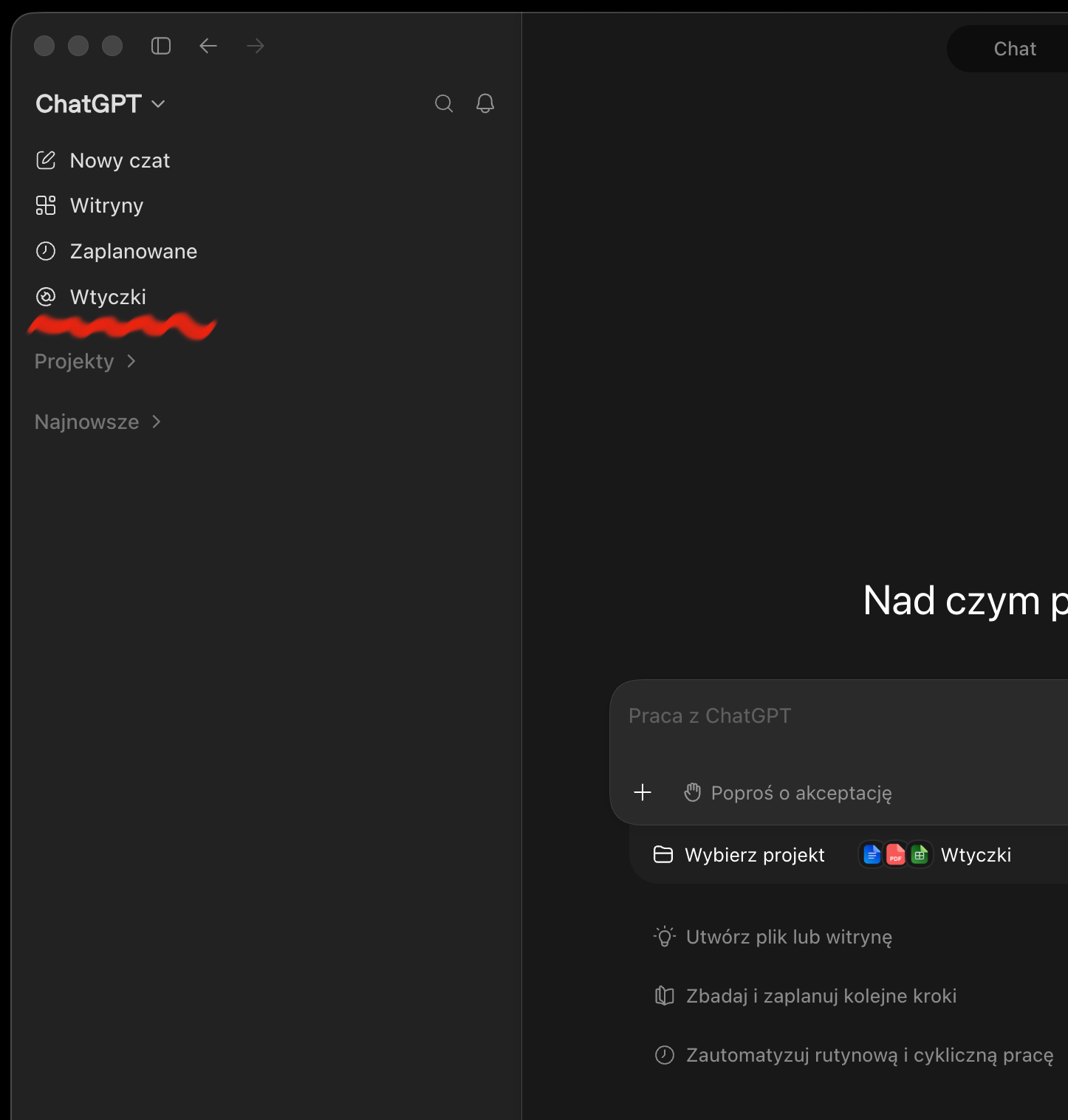
Choose "Plugins" in the left-hand menu
On the left-hand side of ChatGPT you will find "Plugins". Then look for the cog icon in the top right-hand corner.
Now confirm the connection between ChatGPT and WiseMCP
ChatGPT finds your WiseMCP account by itself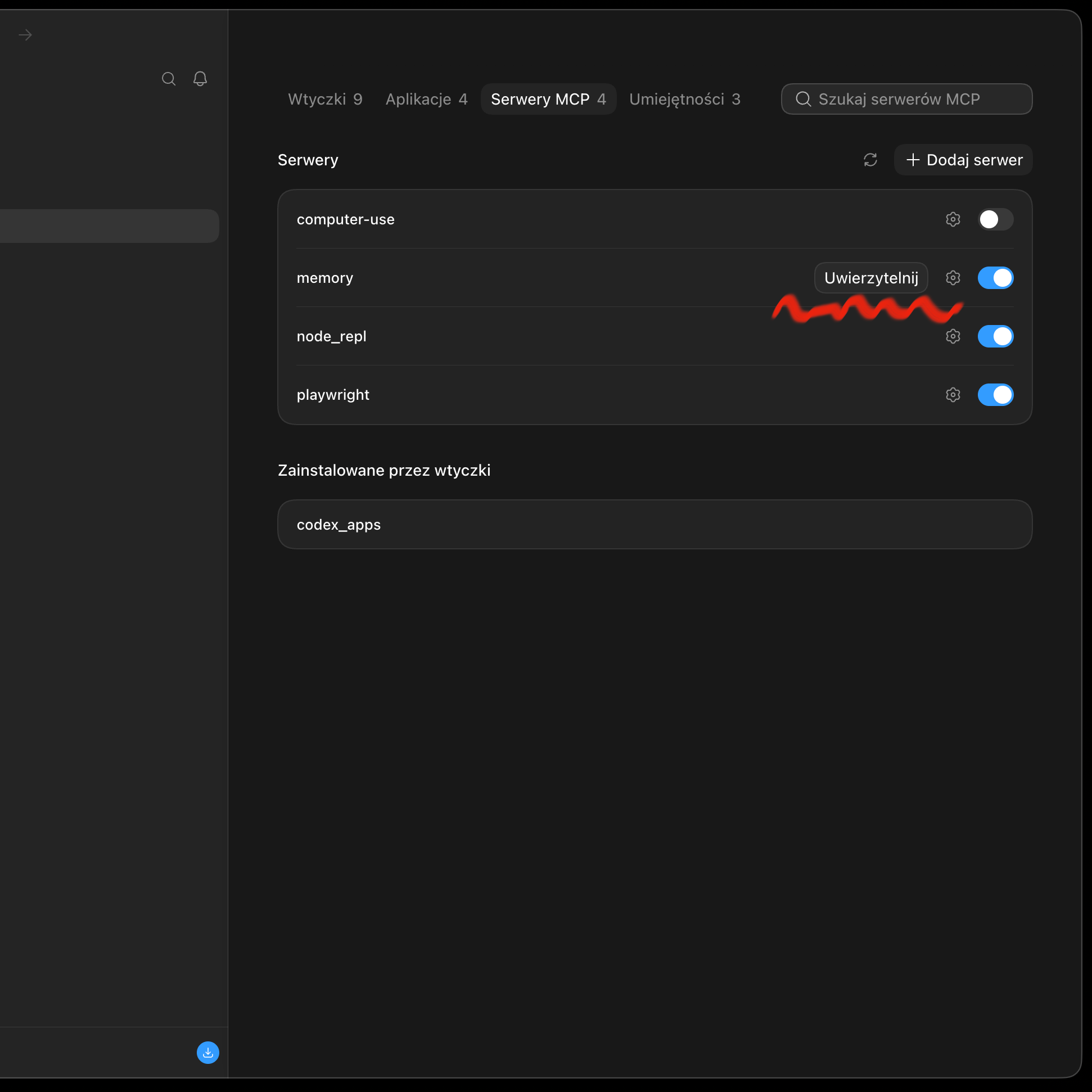
Choose "Authenticate"
After you save the settings from the previous step, the app window shows the connected server with an "Authenticate" option – choose it.